 NetLimiter
FAQ
NetLimiter crashes or cannot start after Windows 10 Creators update.
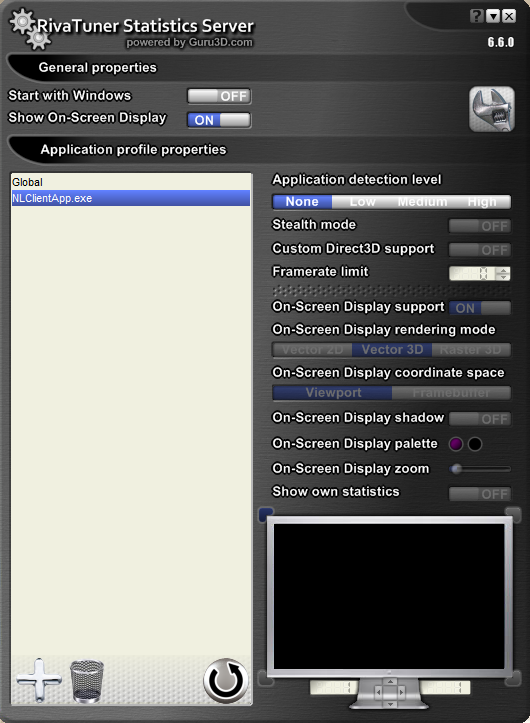
This problem is most probably caused by application named Riva Tuner Statistics Server. Please, follow these steps to get rid off it:
- Open Riva Tuner SS.
- Add NetLimiter profile by clicking on big plus sign in lower left corner, browsing to NetLimiter installation directory (by default at C:\Program Files\Locktime Software\NetLimiter 4) and selecting NLClientApp.exe.
- Select NetLimiter profile and choose None in Application detection level menu.
- Check if NetLimiter can start.